
In this post I demo a PowerShell script I wrote to extract and decrypt SSMS 21 and 22 saved connection information.
This script builds on the one for importing saved connections from SSMS 21 to SSMS 22.
Instead of importing, it looks for any SSMS 21 and 22 related config folders, extracts the relevant connection data, decrypts it and saves it in clear text.
You can find Extract-SSMSSavedCredentials.ps1 in my SSMS-Tools repo.
What it does
When executed, the script does the following:
- Finds all the SQL Server Management Studio 21 and/or 22 configuration directories containing the privateregistry.bin file, and for each hive file it:
- Loads the hive into HKLM\SSMSStuff.
- Exports the ConnectionMruList registry (this contains the SSMS 21/22 saved connection data) from the previously loaded hive.
- Unloads the hive.
- From the previously exported registry it extracts connection names and the DPAPI encrypted connection strings.
- Decrypts and parses the connection strings
- Writes the connection names and raw decrypted connection strings to DecryptedConnectionStrings.txt.
- Writes the parsed data sources, user IDs and passwords to DecryptedCredentials.txt.
- Proceeds to next hive.
Requirements and limitations
- SQL Server Management Studio 21 or 22 installed (otherwise where would it get the data from?).
- Admin permissions for the registry-related operations
- PowerShell 7.x, because I couldn’t get PS 5.1 to work with the
[System.Security.Cryptography.ProtectedData]class.
Note, it only works for the current user profile and machine due to DPAPI encryption.
This means that you can’t grab a privateregistry.bin from other users and/or machines and try to extract data from them.
How to run it
- Make sure there’s no running instance of SSMS 21 or 22.
- Open PowerShell as admin.
- Navigate to where you’ve downloaded the script.
- Run
.\Extract-SSMSSavedCredentials.ps1
Optionally, you can add the -KeepRegFiles switch to hold on to the registry files after the script is done processing them.
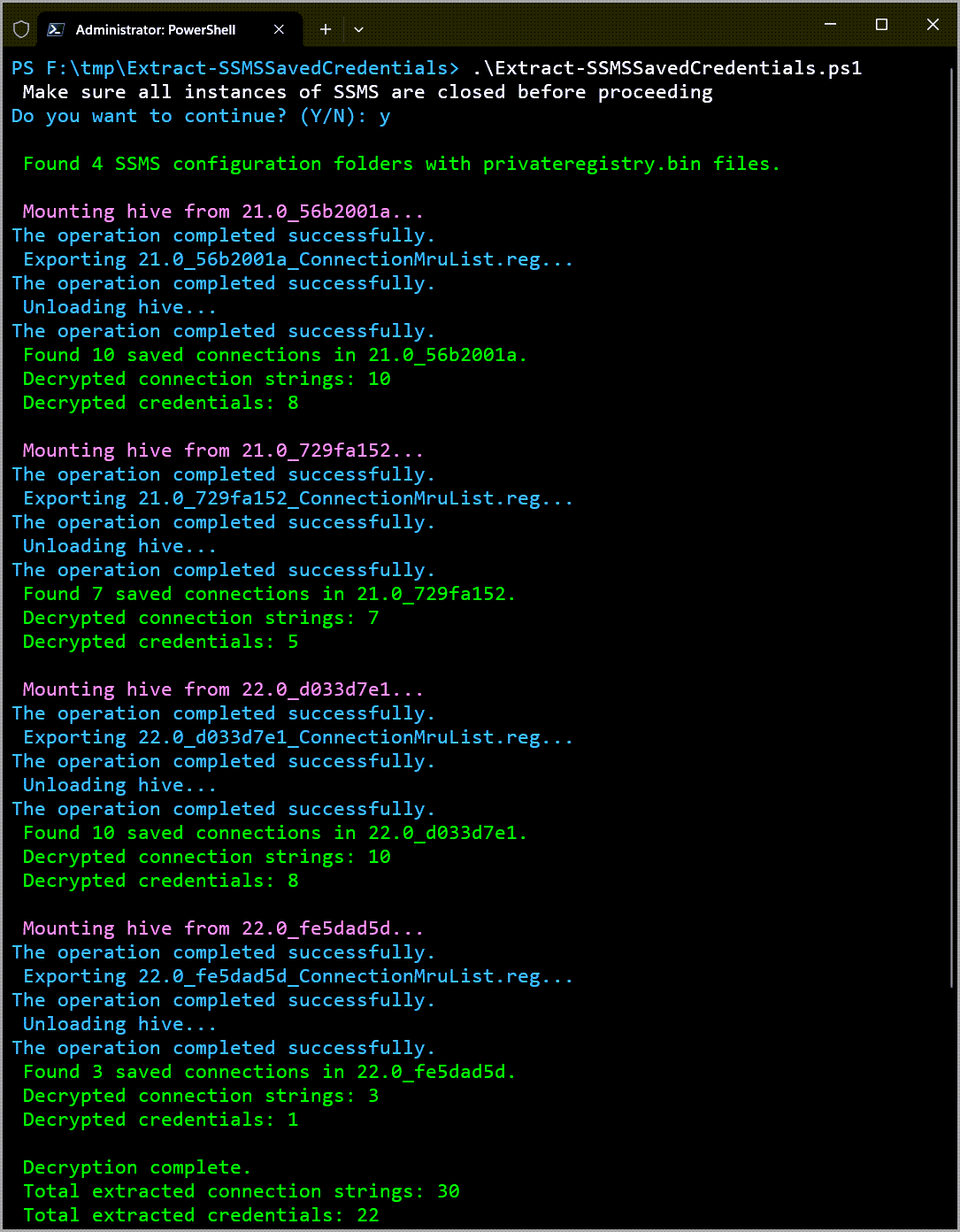
Output
When the script finishes processing the identified SQL Server Management Studio 21 or 22 connection data, you’ll find two files in the same directory as the script.
DecryptedConnectionStrings.txt
Contains the raw decrypted connection strings from all processed files.
Example

DecryptedCredentials.txt
Contains data sources and credentials (user IDs and passwords) extracted from the decrypted SSMS 21 or 22 connection strings.
Example

Conclusion
That’s it. That’s the script.
Enjoy your extracted and decrypted SSMS 21 or 22 saved connection data.
I know I did since it was a fun thing to poke at, but…
Small rant
Tried giving both GHCP and Lumo a shot again, and it turned out to be an exercise in frustration (again).
They both sent me on overly-complex Regex and base64 rabbit holes, regardless of how much I insisted neither of them are needed.
Which leaves me to conclude that they work great for people with a lot of time on their hands or who don’t really know what they’re doing.
But at least they both do a decent job of writing readme.me files based on already good code, so there’s that.